Showing posts with label Dell Drivers. Show all posts

Sunday, October 14, 2012

Dell Inspiron 1440 Windows XP Driver

Chipset
Download

Intel Matrix Storage Manager
Download

VGA Driver
Download

Audio Driver
Download

Conexant D400 External USB Driver
Download

Dell Multi-Device WiFi Driver
Download

Dell Wireless WLAN 1397 Half MiniCard (4312bg) \
 Download

Realtek LAN RTL8102EL Driver
Download

SATA Driver for Windows XP installation purpose, refer here:
http://laptop-driver.blogspot.com/2009/10/slipstreaming-guide-to-install-windows.html

For ATI graphics, ATI mobolity radeon HD 6450 and 6470,  12.3 ati catalyst driver (you can google it) is preferable, but going with the latest catalyst normally better.

You can download directly from ati here:
sites.amd.com/US/GAME/DOWNLOADS/Pages/radeon_xp-32.aspx

# Intel Core 2 Duo Processor T6500 2.1GHz
# Intel 4 series chipset
# 3GB DDR2 800MHz RAM
# 320GB Hard Disk Drive
# Internal 10/100/1000 Fast Ethernet
# Dell Wireless 365 Bluetooth Module
# Dell Wireless 802.11b/g WiFi
# Integrated 0.3 mega pixel web cam
# 8X max DVD+/-RW Drive with DVD+R double layer write capability
# ATI mobility Radeon HD4330 512MB Dedicated Graphics
# 14.1-inch WXGA 1366×768 LED Display
# 3 USB 2.0 Ports
# Memory card reader
# Windows Vista Home premium
# 6 cell battery

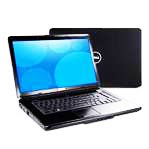
Dell Inspiron 1545 Windows XP Driver

  
Intel® Core™2 Duo processors
View your entertainment on the go with the HD display
Personalize with a choice of eight vibrant colors OR choose from over 200+ artist designs with Design Studio.
The Inspiron 15z for a thin and light solution to our popular Inspiron 15. Get up to 8 hours and 7 minutes of battery life1 with the 6-cell battery.


CHIPSET:
Intel GM45 Express Chipset Family Driver
Download

GRAPHIC:
There are two applicable drivers for graphic, choose base on your specs:

Intel ATI M92 Video Graphics Drivers
File size: 181 Mbyte
Download

Intel GM45 Video Graphics Driver
File Size: 20Mbyte
Download
 
AUDIO/SOUND:
Sigmatel Audio Driver (IDT 92HD71B)
Download

CARD READER
Realtek RTS5158E Media Card Reader
File Size: 7 Mb
Download

TOUCHPAD:
ALPS TouchPad Driver
File Size: 8 Mb
Download

WEBCAM:
1.3 Megapixel Web Camera Driver
File Size: 4 Mb
Download

BLUETOOTH
Dell Wireless 365 Bluetooth Module
File Size: 95 Mb
Download

WIRELESS
Wireless 1515 a/g/n WLAN half mini-card Atheros
File Size: 6 Mb
Download

LAN/ETHERNET:
Marvell LAN 88E80XX Ethernet Controller
File Size: 23 Mb
Download

Intel Matrix Storage Driver
File Size: 555 Kb
Download

BIOS Drivers
download

SPECIFICATION:
Up to 4GB4 Dual Channel 800MHz DDR2 SDRAM.
Chipset
Intel® Cantiga GM45 Chipset

Graphics
Intel® Integrated Graphics Media Accelerator 4500MHD

LCD Display
Glossy 15.6" Widescreen XGA (1366x768)
Audio and Speakers
Intel High Definition Audio 2.0
Hard Drives
Up to 320GB5 configured with a 5400 RPM9 SATA hard drive.

Optical Drives
DVD+/-RW with Dual Layer DVD+R write capability
Blu-Ray/CD/DVD Combo Drive
Power
4-cell 2.0AHr Battery
6-cell 2.2AHr Battery
9-cell 2.2AHr Battery
Camera
Built-in 1.3MP webcam
Wireless
Wi-Fi Options:
Dell Wireless 1397 802.11g Mini-Card
Dell Wireless 1515 Wireless-N Mini-Card
Intel® Next-Gen Wireless-N Mini-card

Bluetooth Options:
Dell Wireless 365 Bluetooth® Internal (2.0) mini-card
Ports, Slots, Chassis
Externally Accessible
(3) USB 2.0 compliant 4-pin ports
15-pin VGA video connector
Integrated network connector 10/100 LAN (RJ45)
AC adapter connector
Audio jacks (1-line out, 1 Mic-in)
34 mm ExpressCard slot

7-in-1 Media Card Reader
Secure Digital (SD) Memory Card
Hi-Capacity Secure Digital (SDHC)
Hi-Density Secure Digital (SDHD)
Multi Media Card (MMC)
Memory Stick (MS)
Memory Stick PRO (MS PRO)
xD Picture Card (xD)

Internal Card Slots
1 Half Mini-Card

Dimensions & Weight
Width: 14.7" (373.5mm)
Height: 1.02" (25.9mm) front / 1.48" (37.8mm) back
Depth: 9.6" (244mm)
Weight: Starting weight of 5.8 lbs. (2.64 kg)10 (15.6" WXGA glossy display, 6 cell battery, DVD +/- RW, integrated graphics). Weights will vary depending on configurations and manufacturing variability.

Dell Inspiron 6000 Windows XP Driver

CHIPSET:
Intel Chipset
Download

GRAPHIC:
Two applicable graphic Drivers:
If you have ATI graphic
ATI MOBLITY RADEON X300
Download

If you have Intel Graphic:
Intel Graphics:
Download

AUDIO:
SIGMATEL STAC 975X AC97
Download

MODEM:
Conexant D110,MDC,1.5,v.92
Download

BLUETOOTH
Wireless 350 Bluetooth Internal Module
Download

ALPS -
Glidepoint/Stickpoint:
Download

Premium Optical Mouse:
Download

Angle USB TV Tuner:
Download

Network:
Broadcom 440x 10/100 Integrated Controller,
v.v4.25b, A08
Download

WIRELESS:
Wireless 1470 Dual-Band WLAN Mini PCI Card:
Download

Wireless 1370,1350, 1450 WLAN Mini PCI Card:
Download
Download (japan Only)

Intel PRO wireless 2915abg 2200bg Network:
Download

BIOS:
VA09
Download

DELL Inspiron 1000 Windows XP Driver

AUDIO:
AD1981B Intergrated Audio
Download
Download (mediafire)

GRAPHIC:
SIS 650L Intergrated 2D/3D Graphic
Download
Download (mediafire)

WIRELESS::
Dell TrueMobile 1300MPCI CARD

Download
Download (mediafire)

MODEM:
Agere Systems AC97 Modem
Download
Download (mediafire)

MODEM - UTILITIES:
System AC97 Modem
Download
Download (mediafire)


ETHERENT:
900 PCI Fast Ethernet Adapter
Download
Download (mediafire)

ALPS -DRIVER
GlidePoint/Sticker
Download
Download (mediafire)

APPLICATIONS:

Driver reset tools
Download
Download (mediafire)

Sonic DMX 3.0

Download
Download (mediafire)

Record Now 7.0

Download
Download (mediafire)

DigitalMedia V7

Download

Dell XPS Studio 1340 Windows XP Driver

CHIPSET:
Nvidia NForce Chipset Driver 15.26
Dowload (nvidia website)

!! RESTART AFTER CHIPSET INSTALATION.


Nvidia High Definition Audio R202281 (nVidia MCP79)
Download (dell website)
Dowbnload (mediafre)

AUDIO:
IDT High Definition Audio Codec (XP Driver) - PIDT001
Download

If direct install failed:
Now go to the Device Manger (click start select run and type DEVMGMT.MSC)
Right click on the IDT Audio Driver (it should be in error)
Select Update Driver>No, not this time>Install from a list or specific location (Advanced)>Check include this location in the search>Browse to the folder you extracted the file to
and follow the path above to the XP folder.

CARD READER:
Ricoh Card Reader R5C833 R188094
Download (dell website)
Download (mirror mediafire)
Download (mirror ziddu)

WIRELESS:
Dell WLAN 1510 Wifi R202485
Download (direct)
Download (dell website)
Download (mediaifre)

ETHERNET:
nVidia Ethernet Controller Driver A00
Download (direct)
Download (mediafire)

TOUCHPAD
Synapstic Toucpad Driver
Download (direct)
Download (mediafire)

BLUETOOTH:
Dell Wireless 370 Bluetooth Mini-Card
Download

CIR:
IT1852 CIR Receiver (ITECIR)
Download (direct)
Download (mediafire)

WEBCAM
CREATIVE LABS INTEGRATED WEBCAM A06
Download (direct)
Download (mediafire)

WIRELESS:
Atheros 5211 Network Adapter
Download

Instructions:
1. Extract the files. (for new user recommended - copy the downloaded drivers files, add to desktop, right click select extract)
2. Open device manager, look at the network drivers with yellow, right click on it select update.
(to open device manager, click start, select run and type DEVMGMT.MSC and press enter.
3. no to connect.
3. select advance
4. select dont search, i will choose the drivers to install.
5.point to the extraxted driver folder.
6. Select the inf files.
7. continue with onscreen instructions.

GRAPHIC DRIVER:
Nvidia 9400M G

1. First obtain the drivers from laptopvideotogo,
 http://www.laptopvideo2go.com/drivers/xp/190.40/disclaimer


2.There Scroll until you found link to download, Download both files:


3. So you will get 2 files which is 19040.exe and nv4_disp.inf:

4. Download and Install 7z: Download here: http://www.7-zip.org/download.html and install it.

5. Right click on the 19040.exe and select extract 7z - select extract files, then press ok.


6. After extract you will get a 19040 folder. right click on nv4_disp.inf and select copy.


7. Open the 19040 folder.


8. You will see another folder name 190.40 and also open that folder.


9. Then right click anywhere and select paste.


8. Windows Will prompt to replace the files and select YES.


9. Ok now we are done for the first part. Now proceed by open device manager by click start select run and type DEVMGMT.MSC and press enter.


------------------------------------------

10. Under the diplay adapters, right click on 9400M G and not the secondary 9200M GS display. Select update Driver. Hardware update wizard screen will appear, select no to connect, next

---------------------------------------

11.Select Install from list specific location, next

--------------------------------------------------

12. select dont searh i will choose the driver to install, next
----------------------------------------------

13.then select all drivers on the next screen then make sure you uncheck the "show compatible drivers" box, select have disk
--------------------------------------------------

14. then select browse:

15. Point to the 19040 folder, open the folder and 190.40 folder and select the nv4_disp.inf. press ok and continue with on screen instructions until finish and restart.


Compilations from:
  1. http://staff.prairiesouth.ca/knowledgebase/node/42
  2. BCCOMP: http://www.techsupportforum.com/hardware-support/driver-support/409157-solved-dell-xps13-driver-xp.html
Edited By: Black-X
p/s: Million thanks to the people who discussed this in forum especially to BCCOMP.

Dell Inspiron 1526 Windows XP Driver

AUDIO:
SIGMATEL STAC 92XX C-Major HD Audio
Release Date: 12/20/2007
Version 5.10.0.5515, A11
File Size: 7 MB
||Download(dell site)|| Download (mediafire)||

GRAPHIC:
ATI Radeon Integrated X1270 Graphic Driver
Version: 9.11
size:       75.6 MB
Download (ATI site) || Download (Mediafire) ||

WIRELESS
Dell Wireless 1395 WLAN MiniCard
Version: 4.170.25.12, A17
File Size: 89 MB
Download (Dell Site) || Download (Mediafire) ||

CARD READER:
Ricoh R5C833
Version: Vista_3.51.01/XP_3.51.01, A00
File Size: 2 MB
Download (Dell Site) || Download (Mediafire) ||

MODEM
Conexant D330,HDA,MDC,v.92,modem
Version: drv_xp_2k_7.59.00.50, A00
File Size: 3 MB
Download (Dell Site) || Download (Mediafire) ||

CHIPSET DRIVER:
ATI SMBus / Chipset Driver 5.10.1000.8 Windows XP
Version: 5.10.1000.8
Release: 9 Nov 2008
Size : 5MB
(dell have remove download link R174511 due to WHQL issue so only download link from mediafire available)
|| Download (Mediafire) ||

BLUETOOTH:
Dell™ Wireless 355 Bluetooth® Adapter
Release Date: 7/20/2007
Version: BTW Radio ON, A00
Download Type: Patch/Upgrade
File Size: 153 KB
Download (Dell Site) || Download (Mediafire) ||


DELL Inspiron 1721 Windows 7 Driver

B3astiie use this model and use 64 bit WIndows 7.

1. After finish the windows 7 Installation, check for updates.

2. Install updates, the updates will install all drivers and the driver updates normally located in Otional updates. check all and install.

3. Restart when windows finish download the updates.

4. You can check in device manager (click start type DEVMGMT.MSC in the search box and press enter) , there all driver installed succesfully but you will see a yellow mark name
BASE DEVICE or similar to it.

5. You need to install the RICOH CARD READER DRIVERS. But B3astiie said Driver from Dell only support 32 bit and not 64 bit, when he asked for assistant DELL recomend him to buy a new Windows 7 (up to date version)

6. So to solve this especially for 64-BIT user download driver from HP here:

Ricoh 5-in-1 Card Reader Host Controller and Driver for Microsoft Windows Vista and Windows 7 (32-bit and 64-bit)
Download

==========================
NOTE:
If you failed to install:

for compaq, acer and other model, to install this driver you might have to install it in compatibility mode.
to do this right click and select proprties, select comaptibality, check the box and select run this program in Windows Vista SP2.
===========================

note, some word from B3astiie:

My base problems was that the Achi controller dell has on the site is only part of the 32-64bit set. They took the set, and took out the 64bit and just uses the 32bit to download. HP on the other hand, has the full set 32-bit and 64bit all for one download
When called to ask dell about this there constant solution was, "The driver has not been tested, it would be best if u bought a new 64bit system we offer." So, there main reason for not offering the 64bit part of the driver is so that you purchase a new system for there own profit

DELL Vostro 3500 Windows Xp Driver

UPDATE:
link fixed for audio, wireless and bluetooth. - because i put the wrong link to those driver earlier

INTEL CHIPSET:

1. Chipset Drivert: Intel Ibex Peak-M HM57
WINXP Driver Version: 9.1.1.1023
Download

2. Intel Turbo Boost (Turbo) chips
Driver Version: 02/26/2010, 01.02.00.1002
Support for hardware ID:
PCI \ VEN_8086 & DEV_3B32 & SUBSYS_04411028
Download

3. SATA AHCI Controller: Intel (R) 5 Series 6 Port SATA AHCI Controller
Driver Version: 12/17/2009, 9.5.6.1001
Supported Hardware ID: PCI \ VEN_8086 & DEV_3B2F & SUBSYS_04411028
Download 

4. Management chip: Intel (R) Management Engine Interface
WINXP driver version: 09/17/2009, 6.0.0.1179
Hardware ID: PCI \ VEN_8086 & DEV_3B64
Download

GRAPHIC:

NVIDIA
1. Graphics card: NVIDIA GeForce 310M
WINXP driver version: 02/19/2010, 6.14.11.8921
WIN7 driver version: 05/24/2010, 8.16.11.8999
Hardware ID: PCI \ VEN_10DE & DEV_0A75 & SUBSYS_044E1028
Download


INTEL
2. Integrated Graphics: Intel (R) HD Graphics
WINXP driver version: 06/06/2010, 6.14.10.5273
WIN7 driver version: 08/25/2010, 8.15.10.2202
Hardware ID: PCI \ VEN_8086 & DEV_0046 & SUBSYS_044E1028
Download

AUDIO:
Sound Chip: IDT 92HD81B1X @ Intel Ibex Peak PCH
WINXP driver version: 04/07/2010, 5.10.0.6277
Hardware ID: HDAUDIO \ FUNC_01 & VEN_111D & DEV_7605 & SUBSYS_10280441
Download

ETHERNET/LAN:
LAN Chip: Realtek RTL8168D/8111D PCI-E Gigabit Ethernet Adapter
WINXP driver version: 03/08/2010, 5.754.0308.2010
Hardware ID: PCI \ VEN_10EC & DEV_8168 & SUBSYS_04411028
Download

WIRELESS:
Wireless LAN Chip: DW1501 Wireless-N WLAN Half-Mini
WINXP driver version: 01/21/2010, 5.60.48.35
Hardware ID: PCI \ VEN_14E4 & DEV_4727 & SUBSYS_00101028
Download

BLUETOOTH:
Bluetooth chip: Dell Wireless 365 Bluetooth Module
WINXP driver version: 09/03/2009, 5.5.0.8000
Hardware ID: USB \ VID_413C & PID_8160
Download (link updated - added new driver for 32 and 64 bit)

HARD DISK PROTECTION
Hard acceleration sensor chip protection equipment: ST Microelectronics DE351DL Accelerometer
WINXP driver version: 07/21/2010, 1.00.00.09
Hardware ID: ACPI \ SMO8800
Download

FINGERPRINT:
Fingerprint Identification Chip: Validity VFM301-4A Fingerprint Sensor
WINXP driver version: 05/04/2009, 2.1.0.2
Hardware ID: USB \ VID_138A & PID_0005
Download

CARD READER:
Download here

Dell Latitude E6410 Windows XP Driver

CHIPSET:
1. Intel Chipset  Installation Utility
Download


2. Intel Dual-Core Turbo  Boost driver

Download

3. Intel AMT HECI Driver
Download


GRAPHIC:
There are 2 Applicable graphic driver for this model so choose base on your specs.

Intel QM57/QS57 NB Gfx – Intel GMA HD Driver
Download


nVidia NVS 3100M Driver
Download

AUDIO:
IDT 92HDxxx High Definition Audio Driver
Download

SENSOR:
ST Microelectronics Free Fall Sensor Driver
Download

CARD READER:
Ricoh R5U24x Driver
Download

MODEM:
Conexant D330,HDA,MDC,v.92,modem Driver
Download (MODEM APPLCATION)
Download (MODEM DRIVER)


WEBCAM:
Creative Labs E2 Integrated Webcam Driver
Download

TOUCHPAD
Dell Multi-Touch Touchpad Driver
Download

BLUETOOTH:
Dell Wireless 375 Bluetooth Module Driver
Download

WIRELESS:
There are many applicable wireless for this model so choose base on your specs
Dell Wireless 5540 HSPA  Mini Card Application
Download

Dell Wireless WLAN 1501 Half Mini-Card  (4313bgn) Driver
Download

 Dell Wireless WLAN 1520  Half MiniCard Driver
Download

Intel Intel(R) WiFi  Link 6200 Driver
Download

ETHERNET:
Intel 825xx Gigabit Platform LAN Network Device Driver
Download

WiMax
Intel Intel (R) WiMAX Link 6250 Driver
Download

SATA DRIVER:
Intel Rapid Storage Technology (AHCI) Driver
Download

OTHERS
Dell Latitude ON Flash Application

BIOS
Dell Latitude E6410 System BIOS

DELL Inspiron 4030 Windows 7 Driver

CHIPSET:
Intel Chipset Installation Utility
Download

AUDIO
IDT 92HD79B1 IDT High Dedfinition Audio Driver
Download

GRAPHIC
There are 2 applicable graphic for this model, which easily we can say there are 2 types of dell Inspiron 4030, one is equip with ATI graphic and the other with intel graphic. Normally there is a sticker labeled with ATI or INTEL on you laptop to tell the type of the graphic your laptop have.

1. ATI Mobility Radeon HD5430
Download

2. Intel HD Graphic
Download

TOUCHPAD
Alps Touchpad Driver
Download

LAN
Atheros AR8151 Ethernet Controller
Download

BLUETOOTH
Dell Wireless 365 Bluetooth Module
Download

WIRELESS
There are also 2 applicable wireless. Choose base on your specs, there no simple way to determine which will work, except if it labeled on your laptop, simply try which work for you, installing wrong driver will not hard your system.

Wireless WLAN 1520 : Download
Wireless WLAN 1501 : Download

REVIEW.
I love this model especially it is intel base model, Intel mainboard/chipset based aptop have low risk in getting high temperature.
By default you will get this laptoip with windows 7 64 bit but you can change the OS with the seller/shop etc. Or get only with free DOS and install windows yourself which will save you a lot of money.
$gb RAM suit with 64-bit system which normally windows 7 32-bit (untill 2011) only support 3GB. Id you get 4GB ram and installed windows 7 it will read 4GB(3GB usable), you can install up to 8GB with 64-bit system.
The HDD 500GB is quite enough, even you can upgrade it say to 640GB or 1TB.


SPECIFICATION.
SPECIFICATIONS
Model Inspiron N4030
Processor Intel Core i3-370M 2.4GHz Processor with Intel Hyper-Threading Technology (3MB Cache)
Memory 3GB DDR3-1333
Hard Drive 320GB 5400RPM
Chipset Mobile Intel® 5 Series Express Chipset HM57
Graphics +VGA Memory Intel HD Graphics +512MB /or ATI HD5430
Display
14.1" High Definition (720p) 1366 x 768 WLED Display with TrueLifeTM
Optical Drive DVD+/-RW Optical Drive
Network Integrated 10/100 Ethernet
Communication Dell Wireless 1501 802.11 b/g/n; Dell Wireless 365 Bluetooth
Audio Integrated Stereo Sound (IDT 92HD79B)
Camera Integrated 1.3 Megapixel Web Camera
OS Genuine Windows7 Home Basic 64-Bit (default)
Battery 6-Cell Primary Battery 
Adapter 65W AC Adapter
Ports 1 x RJ-45; 1 x Headphone; 1 x Microphone; 3 x USB 2.0 Ports;
1 x 5-in-1 Media Card Reader; 1 x VGA
Weight 4.90 lbs. (w/ 6-Cell Battery)
Height 1.29"
Width 13.38"
Depth 9.61"


Dell Inspiron N4030 Windows XP Driver

CHIPSET
Intel; HM57 Chipset Dirver win xp
Download

Intel MEI
Intel (R) Management Engine Interface
Download


GRAPHIC
ATI Mobility Radeon HD 530v / ATI Mobility Radeon HD 5430
Download

Intel HD Graphic Driver (i3, i5 and i7)
Download

AUDIO
IDT 92HD79B1 High Definition Audio
Download  

LAN/ETHERNET
Atheros AR8152 Ethernet Controller
Download (xp)
Download (xp, vista and 7)

WIRELESS
DW1501 Wireless-N WLAN Half-Mini
Download

BLUETOOTH
Dell Wireless 365 Bluetooth Module
Download

CARD READER
Realtek RTS5138 Card Reader Driver
Download

TOUCHPAD
Alps Pointing-device Driver
Download

DELL Inspiron N5110 Windows 7 Drivers


CHIPSET:
Install all 3 drivers

1. Intel Management Engine Interface
Download


2. Intel HM67 Express Chipset Family
Download

3. Intel Turbo Boost technology
Download

AUDIO:
IDT High Definiton Audio Driver IDT 92HD87B1
DELL Inspiron N5110 Audio
Download

MODEM:
Coonexant D400,External USB 56K
Download

CARD READER:
Realtek RTS5138 Card Reader For DELL Inspiron N5110
Download

USB Driver (USB 3.0)
Renesas USB3.0 Host Controller (14994) For DELL Inspiron N5110
Download

TOUCHPAD
DELL Inspiron N5110 Touchpad Drivers:
Download

DELL Inspiron N5110 network Drivers:
Choose base on your specs, Normally you don't need wireless driver if your wireless work and you can connect to the internet using your wireless.

Dell Wireless 1702 802.11 b/g/n, BT3.0+HS: Download
Dell Wireless WLAN 1503/1502 Half Mini-Card: Download
Dell Dell DW1701 802.11 b/g/n:  Download
Intel Intel (R) WiMax Link 6150: Download


BLUETOOTH:
Choose base on your specs.
Dell Wireless 1701 Bluetooth v3.0+HS For DELL Inspiron N5110 : Download
Intel Centrino Wireless-N 1000/Wireless-N 1030/Advanced-N 6230: Download
Intel Centrino Advanced-N 6230 Bluetooth Adapter : Download

ETHERNET/LAN 9CABLE PORT):
Realtek RTL8105E-VB 10/100 Ethernet Controller
Download

GRAPHIC/VIDEO/VGA:
DELL Inspiron N5110 Video Drivers:
The N51110 model comes with 3 type, it is base on the graphic, so you have to choose graphic driver base on your specification.
 How do i know which graohic i use? Normally you have a sticker on your laptop say "AMD" intel or "NVDIA"

AMD ATI Mobility Radeon HD 6470
Download

Intel HD Graphics
Download

nVidia GeForce GT 525M
Download

NOTE:
Choose base on your specs refer to:
"Normally, DELL noit necessarily equip all N5110 with the same devices such as wireless and bluetooth, so you may need to choose driver base on your specification. If you not sure which to choose, try whicg work for you. Installing wrong driver will not harm your system.

ADDITIONAL READING
 One of the good things about windows 7 is many of the drivers installed automatically.
Normally the driver you need to install is:

1. Chipset
2. Card reader
3. Bluetooth
4. Graphic

If I have the driver installed automatically after windows 7 drivers, can i install using the driver above gain? is there any problem?
So far from my experience, there are no problem reinstalling the drivers, or if you have the drivers installed along windows 7 drivers, and you want to install it again using above driver, there is no problem at all.

What if there are problem?
you an simply make system restore, start and press F8 repeatedly and select safe mode, make system restore


DELL Inspiron N4050 Windows XP Driver

This model built for windows 7 and work best with Windows 7 Operating system, Even i can compose the driver for wiondows XP but there are problem with the graphic card which is ATI Radeon HD6470.

CHIPSET:
Intel Chipset Driver (inf_9.2.0.1015)
Download

MEI
Intel (R) Management Engine Interface
Download

AUDIO:
IDT 92HD87B1 High Definition Audio Driver
Download

GRAPHIC:
Intel HD Graphic Driver
Download (32-bit)
Download (64-bit)

ATI  Radeon HD6470M
This one is a problem where the are no drivers yet seem to be work with this devices, even after the installation you \will get one driver not installed in the device manager.

The hardware ID for this model is: PCI\VEN_1002&DEV_6760&SUBSYS_05031028

Since i can say it is new and the driver released in 2011 , i need help from others that success installed the driver for this device. As for now, the only best suggestion i can give is using mod tools and i can't confirm it will solve your problems. Another thing is i love to text this with eembeded driver which originally for 6970M, but i dun have the model here.
 
WIRELESS:
Broadcom Wireless 1701 802.11b/g/n
Download


WIRELESS INSTALLATION:
1. Download the driver and extract it.
2. Remember where you extract it .
3. Click START and select RUN, type DEVMGMT.MSC and press enter.
4. A device manager  will open, right click on the network marked with yellow and select UPDATE DRIVER.
5. Driver Update wizard will appear, select no if it asked to connect to the internet. NEXT.

6. Select ADVANCE, click browse and browse to the driver folder you extracted earlier and continue with on screen instruction.
(if not working)
7. On step 6 don;t select browse but select the last option "DONT SEARCH, I WILL CHOOSE THE DRIVER TO INSTALL"
8. Select have disk and browse to the folder we extracted earlier. Then select bcmwl5.inf, OK and continue with on-screen instruction.

ETHERNET:
Realtek Ethernet Driver
Download

ETHERNET INSTALLATION:
1. Download the driver and extract it.
2. Remember where you extract it .
3. Click START and select RUN, type DEVMGMT.MSC and press enter.
4. A device manager  will open, right click on the network marked with yellow and select UPDATE DRIVER.
5. Driver Update wizard will appear, select no if it asked to connect to the internet. NEXT.
6. Select ADVANCE, click browse and browse to the driver folder you extracted earlier and continue with on screen instruction.
(if not working)
7. On step 6 don;t select browse but select the last option "DONT SEARCH, I WILL CHOOSE THE DRIVER TO INSTALL"
8. Select have disk and browse to the folder we extracted earlier. Then select Netrtle.inf, OK and continue with on-screen instruction.


CARD READER:
Realtek RTS5138 Card Reader Driver
Download


TOUCHPAD
Dell Touchpad  Driver
Download

BLUETOOTH:
Broadcom Bluetooth Driver
Download


EXTRA NOTES:
1. CHIPSET: The driver compatible with both winddows Xp and Windows 7. 
2. Dell QuickSet Application is a hotkey driver software, but this features only applicable for windows vista and windows 7.

DELL Inspiron N4050 Windows Vista and Windows 7 Driver

FOR Windows XP Driver follow this LINK

LAN/ETHERNET:
Realtek RTL8111E-VB Gigabit Ethernet Controller, RTL8105E-VB 10/100 Ethernet Controller
Download (vista)
Download (windows 7)

MEI:
Intel Management Interface
Downlod (Vista, XP and 7)

GRAPHIC/VGA:

1. Ati Radeon HD6470 Driver
Download (vista)
Download (windows 7)

2. Ati Radeon HD6450 Driver
Download (vista and windows 7 32-bit)
Download (Windows 7)

3. Intel HD Graphic
Download (vista)
Download (windows 7 32-bit)
Download (windows 7 64-bit)

MODEM:
Conexant D400,External USB 56K Modem
Download (xp, vista and 7 32-bit) - modem diagnostic tools

APS:
Intel Turbo Boost Monitor:
Download (vista and 7)
Download (xp vista 7and 7 64-bit) - modem diagnostic tools
Download (Windows 7 32-bit)
Download (Windows 7-64bit)

BLUETOOTH:
Dell Wireless 1701 Bluetooth v3.0+HS
Download (vista and windows 7)

WIRELESS:
Dell Wireless 1701 802.11 b/g/n, Wireless WLAN 1501 Half Mini-Card
Download (vista and windows 7)

AUDIO:
IDT High definition Audio Driver
Download (Windows XP Vista and 7)

Dell Inspiron N4010 (14R) Windows Xp Driver

NOTE:
1. To Install Windows XP you need to use Floppy disk or slipstream.
You can refer the guide here: Slipstreaming Guide To install Windows XP

You are recomend to install:
1. Windows XP SP2
2. Install Netframework 2.0 before driver installation. 

CHIPSET:
There are 3 Intel installation, install all of them.

1.Intel Chipset Installation Utility v9.1.1.1020 (HM55)
Download

2. Intel Turbo Boost v1.0.1.1002
Download

3. MEI - Intel Management Interface
Download

GRAPHIC
(choose base on your specs or try which work)
ATI Mobility Radeon HD 5470
Download

ATI Mobility HD5430/ mobility 530v
Download(older version)

Intel HD Graphic Driver (i3, i5 and i7)
Download

AUDIO
Realtek (ALC269) High Definition Audio v6.0.1.6039
Download

LAN/ETHERNET
Atheros AR8152 PCI-E Fast Ethernet Controller
Download

BLUETOOTH
Dell Wireless 365 Bluetooth Module v5.60.18.41
Download

CARD READER
Realtek RTS5138 Card Reader
Download

TOUCHPAD
Synaptics TouchPad Driver
Download
Download (mirror)

WIRELESS:
Broadcom wireless bcm43xx v5.60.18.41
Download
_________________________________________________
DRIVER PACK:
[IF THE DRIVER ABOVE WORK YOU DON"T NEED THIS DRIVER PACK]

You can also download this pack provided by: SLUK
This driver pack already tested and worked with his model. You need to manually install certain driver instead of direct installation especially for the VGA.

1.Download all part, put it in one folder, and extract the file no1:

Download pack part 1
Download pack part 2
Download pack part 3
Download pack part 4
Download pack part 5
Download pack part 6

2. All part is 100mb in size each excpet part 6 which  is 45mb.
3. This pack contain the following drivers:

  • Atheros AR813-AR815x-v1.0.0.41_WHQL LAN Adapter
  • SX2210-Monitor_Webcam SW RC1.1 WebCam Driver & Applications
  • R255591 Synaptics TouchPad
  • Realtek RTS5138 Card Reader 6.1.7600
  • DW1501 5.60.48.35 WiFi Adapter
  • Realtek ALC269Q-GR WDM_HD Audio R249 5.10.0.6132
  • ATI Display Apps  Utilities
  • ATI Catalyst 10.6 Drivers Modified for Mobility HD 5470
  • ATI HDMI DP Audio Driver 10.6_XP32-64
  • BT365 Bluetooth Driver  Application
The difference betwwen this driver pack and mine:

1. It using catalyst 10.6
2. HDMI audio comes with catalyst
3. Webcam driver included
NOTES FROM SLAK:

1. BATTERY
Battery cannot be recognize under XP, this is an unresolved issue, you also need to disable "Microsoft ACPI-Compliant Control Method Battery" from Device Manager or else your CPU will keep a 20 - 25% loading at all time. No XP Quickset driver for any HM55/57 chipset laptop from Dell. Only AHCI driver needed slipstream, others can install after the OS installation.

Need to mention here is this N4010 model comes with different graphics:

1) ATI Mobility Radeon HD 5470
2) ATI Mobility Radeon HD 5650
3) ATI Mobility Radeon HD 550v
4) Intel Graphics Media Accelerator HD

It could be any of the above, so you need to try which work for you. If you still have problems leave your comments.

Dell Vostro 1015 Windows Xp Driver

It is strongly recommend to upgrade your windows to Windows XP Service Pack 3 if you have problems to connect via wireless. Install the wireless driver first and if there are problems to connect upgrade it to SP3 and reinstall the driver.

Chipset:
Intel GM45 + Intel 82801IM ICH9M
version: 9.1.1.1014
Download

Graphic:
Intel Graphics Media Accelerator 4500MHD
version: 6.14.10.5102
Download

AUDIO
Conexant Audio CX20583-10Z
version: 3.73.0.50
Download

MODEM
Conexant Modem CX20548-11Z
version 7.80.2.51
Download

LAN/Ethernet
Realtek RTL8111DL Ethernet Controller
version 5.718.0323.2009
Download

TOUCHPAD
Alps Touchpad Driver
Download

Card Reader
Ricoh CardReader R5U230
Download

WIRELESS:

Atheros Wireless Driver
version 7.7.0.267
Download

Dell Wireless 1397, 1510 Half MiniCard
Broadcom Wireless LAN Driver 7.7.0.267
Download

BLUETOOTH
Dell Truemobile 355 Bluetooth + EDR
Download

WEBCAM
Sonix SN9C236D Camera DRVR
Download

DELL Inspiron N3010 (13R) Windows 7 Diver

 Driver for DELL Inspiron N3010 (13R) Windows 7 Diver
Windows 7 32 bit
Windows 7 64 bit

Motherboard and Chipset Driver

1. Intel HM57 Express Chipset Family
R255577.exe Hard-Drive 2 MB
Download

2. Intel Management Engine Interface, v.6.0.0.1179, A00
R255583.exe Hard-Drive 5 MB
Download | Miror

3. Intel Turbo Boost Technology Monitor Software, v.1.0.186.6, A01
R257983.exe Hard-Drive 17 MB
Download | Miror 

4. Intel Rapid Storage Technology, v.9.5.6.1001, A01
R255782.exe Hard-Drive 10 MB
Download | Miror 

Graphic
1. AMD ATI Mobility Radeon™ HD 5650
R297612.exe Hard-Drive
Download | Miror 

Mobile Intel® Graphics Media Accelerator HD
R268991.exe Hard-Drive 39 MB (64 bit)
Download | Miror 

 Mobile Intel® Graphics Media Accelerator HD
R274450.exe Hard-Drive 37 MB (32 bit)
Download | Miror 

Audio
Realtek ALC272 Audio, ALC269 HD Audio, ALC269Q-GR Audio, v.6.0.1.6088, A10
R272187.exe Hard-Drive 76 MB
Download | Miror 
Other version

Card Reader
Realtek RTS5138 Card Reader, v.6.1.7100.30111, A03
R255854.exe Hard-Drive 7 MB
Download | Miror 

TouchPad
Synaptics Synaptics TouchPad, v.14.0.15.0, A00
R255591.exe Hard-Drive 29 MB
Download | Miror 

Wireless:
Intel Centrino Wireless-N 1000, v.13.2.0.30, A00
R278714.exe Hard-Drive 47 MB (64 bit)
Download | Miror 

LAN/ETHERNET

Atheros AR8152 PCI-E Fast Ethernet Controller, v.1.0.0.23, A00
R255590.exe Hard-Drive 4 MB
Download | Miror 

BLuetooh
Dell Wireless 365 Bluetooth, v.6.2.1.1100 , A00
R273580.exe Hard-Drive 59 MB
Download | Miror 

WIFI
Intel Intel(R) WiFi Link 6200 (64 bit)
R259343.exe Hard-Drive 47 MB
Download | Miror 

Intel Intel(R) WiFi Link 6200 (32 bit)
R283922.exe Hard-Drive 47 MB
Download | Miror 

Dell Wireless WLAN 1501 Half Mini-Card (4313bgn), v.5.60.48.18, A00
R252537.exe Hard-Drive 81 MB
Download | Miror 

Intel Centrino Wireless-N 1000, v.13.2.0.30, A00
R278712.exe Hard-Drive 41 MB
Download | Miror  

UPDATE:
Webcam Driver : http://www.mediafire.com/?al8zs2ky17dj11y

Dell Wireless 365 Bluetooth Module 5.5.0.3205 Windows XP

Driver Type: Bluetooth
Name : Dell Wireless 365 Bluetooth Module
Version : 5.5.0.3205
File size : 9.95MB
Operating System :
Windows XP 32-bit, Windows XP 64-bit

Download

Help Locating windows version 32-bit and 64-bit

Installation:
1. Download the drivers.
2. Run the drivers files until installation finish.
3. Restart After Installation.

Download hosted on mediafire, report for any broken link.

Dell Inspiron N4020 (14V) Windows XP Drivers

De4ll Inspiron N4010 is a INTEL model, Similarly with other laptop, the model is base on graphic and this model only came with Intel graphic. There is no Quickset driver for XP so far, only available for windows 7.  Install according to order and if you have problems leave your comments.

Chipset Driver
Intel GM45 Chipset Driver
Download

MEI
Intel management Interface
Download

Graphic:
Intel Graphic Driver
Download

Audio
IDT high definition Audio Driver
Download

Wireless
Broadcom Wireless Driver
Download

Bluetoth
Dell Wireless 365 Bluetooth Module
Download

Card Reader
Realtek RTS5138 Card Reader
Download

LAN
Atheros LAN Driver
Donwload

Touchpad
Laps Touchpad Driver
Download

Wednesday, September 5, 2012

Dell Vostro 3450 Driver For Windows7 32Bit


Driver Dell Vostro 3450 For Windows7 32Bit
Chipset
Turbo Boost Technology Monitor
Management Engine Interface
Huron River (HM67)
Card reader
USB 3.0 Host Controller
Graphic
AMD Radeon HD6470M
Network
Centrino Wireless-N 1030
RTL8111E Gigabit Ethernet
Audio
Realtek Audio
Applications
Dell Digital Delivery
QuickSet
Mouse & Keyboards
Synaptics TouchPad
SATA Drives
Rapid Storage Technology
Security
Sensor (VFS5011)
System Utilities
System Software
Motion Sensor